Profile
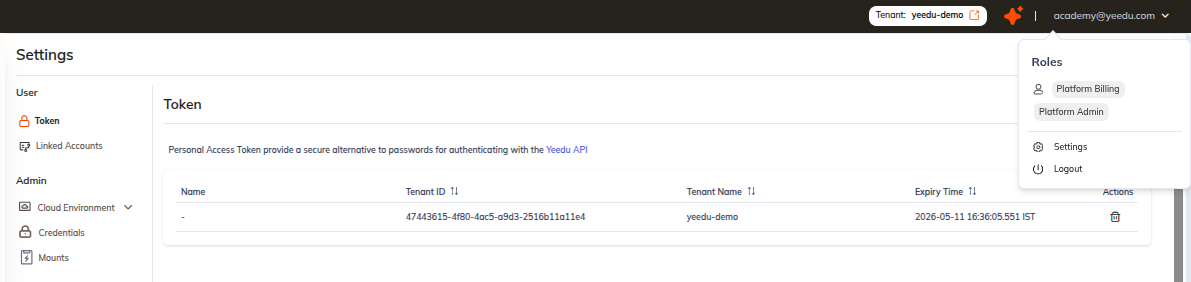
The Profile section shows details about the currently logged-in user, including the role assigned to the user.
What It Displays
- User Role: Indicates which role the logged-in user has.
- Settings: Provides access to user-specific settings.
- Logout: Allows the user to safely log out of the application.
How to Access
The Profile options can be accessed by clicking on the username, which is displayed at the top-right corner of every page.
Once clicked, a dropdown appears showing the user role along with the Settings and Logout options.